Loading game
Preparing player
Loading game
Ready to play
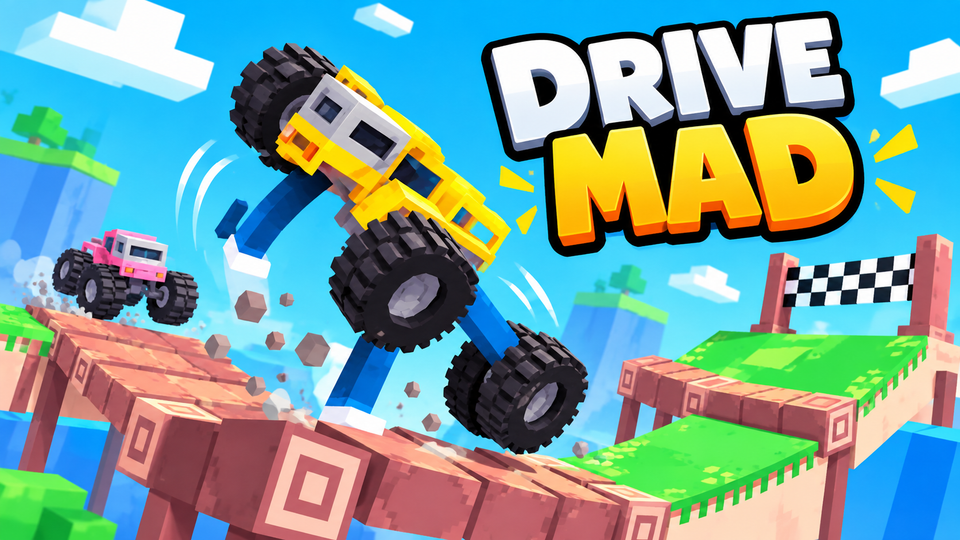
Drive Mad is a physics driving game where you balance unusual vehicles, cross obstacle courses, survive tricky landings, and clear 250 levels.
Drive Mad is a physics-based driving game created by Martin Magni under Fancade where the challenge is not traditional racing. You guide unusual vehicles across ramps, bridges, gaps, unstable platforms, and other obstacle-course tracks while trying to reach the finish without flipping or breaking the vehicle. Speed helps in some sections, but careful acceleration and braking are usually more important than driving as fast as possible.
Drive Mad uses an intentionally small control system. You mainly accelerate forward or brake and reverse. Those inputs also affect the vehicle's balance, so pressing or releasing at the wrong moment can rotate the car during a jump or cause the front wheels to lift on a steep climb.
Every level presents a short driving problem. One stage may ask you to cross a basic bridge, while another can give you a vehicle with unusual proportions, different wheels, or completely different movement characteristics. The goal remains the same: understand how the current vehicle reacts and get it to the finish intact.
The current Poki version presents Drive Mad around these two primary directional controls. Fancade's original touch instructions follow the same idea: press the right side to drive and the left side to brake or reverse.
The current Drive Mad release on Poki contains 250 levels divided across three worlds. The Classic world contains 200 levels, while the Winter and Monster Truck worlds add 25 levels each.
The Classic world contains the main progression and gradually introduces more difficult physics problems. Early stages teach basic speed and balance, while later levels combine awkward vehicles with more demanding obstacles.
The Winter world adds 25 snow-themed levels. The visual environment changes, but the central challenge remains controlling momentum and reaching each finish without losing the vehicle.
The Monster Truck world contains another 25 levels built around a much larger vehicle. The bigger wheels and heavier feel make small mistakes harder to correct once the truck begins rotating or bouncing after a landing.
Many Drive Mad levels punish holding the accelerator continuously. A car that reaches a ramp too quickly may rotate too far, bounce uncontrollably after landing, or overshoot the next platform.
Shorter inputs provide more control. Build enough momentum to clear the obstacle, then release or brake when the vehicle needs to settle. This is particularly useful when crossing thin bridges or landing on small platforms.
Driving more slowly does not always make a level easier either. Some jumps require enough momentum to reach the other side. The real challenge is finding the correct amount of speed for each obstacle.
Drive Mad regularly changes the machine you control instead of giving you one identical car throughout the game. The Fancade wiki documents levels involving vehicles and mechanics such as a jet airplane and an excavator, while other versions include machines with unusual wheel shapes or proportions.
This variety means the solution from one level may not work on the next. A long vehicle can get caught on ledges that an ordinary car clears easily, while another machine may rely on an attachment or unusual movement mechanic rather than conventional driving.
Spend the beginning of an unfamiliar level learning how the vehicle reacts before attempting the most difficult obstacle at full speed.
Landing is often more difficult than leaving the ramp. Once the car is airborne, watch which end is dropping toward the ground.
If the front is falling too quickly, use the input that brings the vehicle back toward a level position. If the rear is dropping heavily, correct in the opposite direction. Small adjustments are usually safer than holding one control until the vehicle rotates too far.
Also look at the slope of the landing area. A vehicle prepared for flat ground may still bounce badly if the road is angled steeply upward or downward.
Holding forward can create too much momentum. When approaching narrow bridges, ramps, or unstable sections, use shorter presses so you can react before the vehicle becomes impossible to recover.
You do not need maximum speed for every ramp. If you repeatedly overshoot or rotate too far, reduce your approach speed instead of trying to fix everything while airborne.
When a level introduces a new machine, make a few controlled movements first. Understanding how quickly it accelerates and how strongly it rotates can save several failed attempts.
Do not wait until the vehicle is almost touching the ground. Start adjusting its angle while there is still enough airtime for the correction to matter.
If a jump fails, decide whether the problem was speed, takeoff position, or landing angle. Changing everything at once makes it harder to understand what actually caused the crash.
If you enjoy physics driving, obstacle courses, difficult landings, and unusual vehicles, try these related games on YaloGames:
Drive Mad was created by Martin Magni and is associated with Fancade. Fancade's official wiki credits Martin Magni as the author.
The current Poki version lists 250 levels: 200 Classic levels, 25 Winter levels, and 25 Monster Truck levels.
Use the Right Arrow to drive forward and the Left Arrow to brake or reverse in the current browser version.
Flips usually happen because the vehicle reaches an obstacle with too much speed or lands at a poor angle. Shorter acceleration and braking inputs give you more control over balance.
Yes. Different levels can change the vehicle and its physics, including unusual machines that require different solutions from standard car levels.
Drive Mad rewards careful timing more than constant acceleration. Read each obstacle, learn how the current vehicle responds, build only the speed you need, and correct your angle before every landing. With 250 levels across Classic, Winter, and Monster Truck worlds, the challenge comes from repeatedly adapting the same simple controls to completely different physics problems.
LIVE CHAT
No messages yet. Start the conversation.
Log in to join the chat.
Login