Loading game
Preparing player
Loading game
Ready to play
Play Block Craft online, gather materials, build a secure shelter, manage food and stamina, and survive dangerous creatures after nightfall.
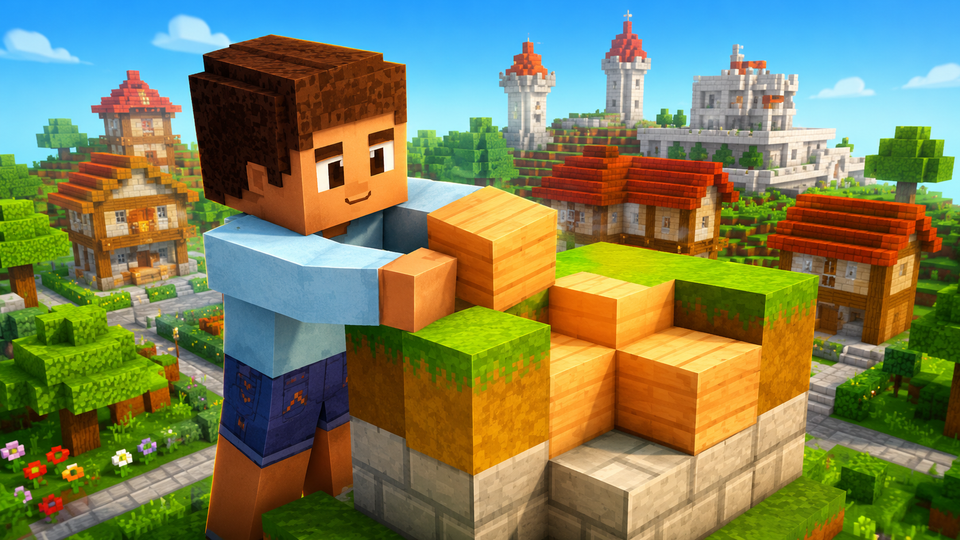
Block Craft is a first-person 3D sandbox game that combines open-world construction with light survival mechanics. You explore a large block-based map, gather raw materials, shape the terrain, and use the resources you collect to create shelters, fortresses, and other custom structures.
Building is only part of the challenge. Hostile creatures begin roaming the world after nightfall, so each day becomes a preparation phase. You must collect food, manage your stamina, establish a reliable shelter, and return to safety before darkness leaves you exposed.
Block Craft does not send you through a narrow sequence of stages. Your immediate objective is to establish a safe position in the unexplored world, while your longer-term goal is to gather enough materials to construct increasingly ambitious projects.
The day-and-night cycle determines how you should organize your time. Daylight is the safest period for exploration, resource collection, and construction. When night approaches, dangerous creatures become the main threat. A sealed shelter, a source of light, and enough food to maintain your condition are therefore more important than decorative building during the opening part of a session.
This sequence creates a practical rhythm: explore, gather, build, retreat, and then improve. Skipping the preparation steps may leave you without protection when the environment becomes more dangerous.
The desktop version uses keyboard and mouse inputs for movement, block interaction, item selection, and special building modes. The standard control layout is summarized below.
| Control | Action |
|---|---|
| W, A, S, D | Move through the 3D world. |
| Mouse | Aim and change the viewing direction. |
| Left Mouse Button | Break or mine a targeted block. |
| Right Mouse Button | Place the selected building block. |
| 1–8 | Select a block from the numbered inventory slots. |
| R | Rotate the selected block before placement. |
| F | Toggle flight mode. |
| B | Toggle construction mode. |
| L | Use or activate the torch. |
| O | Throw a ball. |
| G | Throw or launch the held object. |
| Shift | Run while moving. |
Every major construction begins with materials taken from the environment. The same mining action that clears space can also supply the blocks needed for floors, walls, towers, and defensive barriers. This makes location important: building near useful resources reduces the time spent traveling between your base and collection areas.
The numbered block slots make it easier to alternate between materials while working. You can place structural blocks, rotate pieces when their orientation matters, and remove misplaced sections without restarting the entire project. Construction mode is particularly useful when you want to focus on shaping a larger structure rather than repeatedly switching between exploration and placement.
Large builds should still come after basic survival needs. An unfinished fortress offers less protection than a small shelter with complete walls and a closed roof.
Night changes the purpose of your buildings. A house is not simply a creative project; it is also protection from creatures that appear after sunset. Before leaving your base for a long resource run, check how much daylight remains and whether you can return safely.
Food is another preparation tool. The game connects food with appetite and stamina, so carrying or gathering it before a longer journey helps you remain mobile. Fire and torch controls also become more valuable around dark structures, entrances, and frequently used paths.
One frequent mistake is beginning an oversized project before completing a protected room. A wide foundation may consume valuable daylight while leaving you exposed from every direction.
Another problem is exploring without tracking the return journey. The map is large, and gathering materials can draw you far from your starting point. Establish visible landmarks and turn back early enough to avoid searching for your shelter after dark.
Players should also avoid treating food and light as optional decorations. Both are connected to survival: food supports your condition, while a torch or fire makes the base easier to use when visibility decreases.
Block Craft should not be confused with Block Craft 3D. The browser game covered here combines construction with food, stamina, shelter preparation, and hostile creatures at night. Block Craft 3D places greater emphasis on developing a village, adopting pets, visiting other players’ cities, creating custom items, and earning gems, with its official description stating that it does not feature monsters.
It is a first-person 3D sandbox game centered on gathering materials, placing and removing blocks, constructing shelters, and surviving threats that appear at night.
Start with a small enclosed shelter. Complete its walls and roof before spending resources on a large fortress or decorative project.
Use the number keys from 1 through 8 to switch between the block types assigned to your inventory slots.
The browser control list includes a flight mode that can be toggled with the F key.
Dangerous nocturnal creatures begin roaming the world, making an enclosed shelter and a planned return route important for survival.
Block Craft gives construction a practical purpose. Every block you gather can contribute to a creative structure, but the first priority is establishing a base that protects you when daylight ends. Collect resources efficiently, keep food available, organize your inventory, and complete essential defenses before moving on to larger designs.
Once your shelter is secure, the open map becomes a space for experimentation. You can reshape the terrain, expand your settlement, and turn a basic starting structure into a fortress designed around your own plan.
LIVE CHAT
No messages yet. Start the conversation.
Log in to join the chat.
Login