Loading game
Preparing player
Loading game
Ready to play
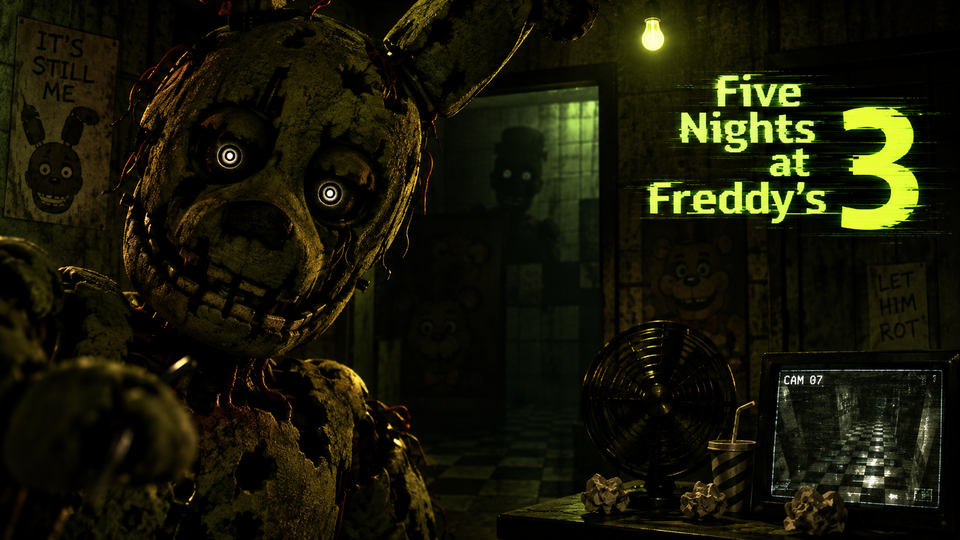
Five Nights at Freddy’s 3 challenges you to track Springtrap, use audio lures, seal vents, reboot failing systems, and survive each night at Fazbear’s Fright.
Five Nights at Freddy’s 3 is a survival horror game built around monitoring one deadly animatronic: Springtrap. From a fixed security office inside Fazbear’s Fright, you use cameras, audio lures, ventilation controls, and a maintenance panel to keep Springtrap away while surviving until the end of each night. Unlike the earlier games, there are no security doors or Freddy mask to rely on, so survival depends on controlling Springtrap’s route and preventing critical systems from remaining offline.
The game was developed and published by Scott Cawthon and originally released on March 2, 2015. Its story takes place decades after Freddy Fazbear’s Pizza closed, when memorabilia from the old restaurants is collected for a horror attraction called Fazbear’s Fright. The attraction eventually discovers Springtrap, the only physical animatronic directly hunting the night guard.
You remain inside the security office while Springtrap moves through rooms and ventilation shafts around the attraction. Cameras help locate him, but simply watching his position is not enough. You can play audio in selected rooms to encourage Springtrap to move toward the sound, giving you a way to redirect him away from the office.
The attraction also has three systems that can malfunction: the camera system, audio devices, and ventilation. When a system fails, you must open the maintenance panel and reboot it. This creates dangerous periods where your attention is pulled away from Springtrap.
Phantom animatronics add another complication. These hallucination-like characters cannot end the night in the same way Springtrap can, but their jumpscares can cause system failures and disrupt your ability to control the situation.
Five Nights at Freddy’s 3 changes the series formula by concentrating the direct danger around Springtrap. Previous entries required players to manage several physical animatronics approaching from different directions. Here, you spend much more time learning the movement of a single enemy and attempting to manipulate where he goes.
The audio system is your main method of controlling his route. Playing the audio lure in a camera room can attract Springtrap toward that area when the conditions are appropriate. This allows you to keep him farther from the office instead of simply waiting for him to arrive.
However, Springtrap can also travel through the ventilation system. Since vents provide shortcuts between areas, allowing him to enter the wrong route can dramatically reduce the time available to respond.
The camera monitor includes the regular room network and a separate set of ventilation cameras. You can toggle between these layouts while tracking Springtrap. The vent system contains its own camera points and allows specific passages to be sealed.
This makes positioning more important than repeatedly checking every feed. If you know where Springtrap is, your next question should be where he can move from that position. A nearby vent may provide a much faster route toward you than the surrounding hallways.
Sealing the correct vent can force Springtrap to take a longer route. Because only one passage can be blocked at a time, the decision should be based on his current location rather than choosing a vent randomly.
The camera interface lets you play a sound cue in selected rooms. Springtrap can respond to these noises and move toward the source, making audio one of the most important defensive systems in the game.
The audio device is not permanently available. After repeated use or certain disruptions, it can develop an error and require a reboot. When that happens, you temporarily lose your primary method of redirecting Springtrap.
Use audio with a purpose. Playing sounds without considering Springtrap’s position can waste the system and create another maintenance problem without meaningfully improving your situation.
The ventilation system does more than represent another technical problem. If it remains offline, the night guard begins suffering increasingly severe visual problems and hallucinations. Ventilation trouble can therefore make it harder to correctly understand what is happening around the attraction.
Scott Cawthon also clarified in an official update that during ventilation errors, players can sometimes see apparent copies of Springtrap on multiple cameras. These duplicate appearances are hallucinations rather than separate Springtraps.
For this reason, ventilation should usually be treated as an important repair. Allowing it to remain broken can make an already difficult tracking problem much more confusing.
The maintenance panel sits on the opposite side of the office from the main camera controls. It allows you to reboot the Audio Devices, Camera System, or Ventilation. There is also a Reboot All option for situations where several systems have failed.
Rebooting takes time. During that period, you are not actively tracking or redirecting Springtrap. If only one system has failed, restarting that specific system may let you return to defense sooner than rebooting everything unnecessarily.
If several systems are already offline, restarting them together may be more practical. The correct choice depends on Springtrap’s location and how much immediate danger you face.
Phantom characters appear as hallucinations based on animatronics from earlier Five Nights at Freddy’s games. Their role is different from Springtrap’s. A Phantom encounter can trigger a jumpscare and cause one of your systems to malfunction, creating an opportunity for Springtrap to move while you recover.
This means the Phantom animatronics are dangerous because they disrupt your routine. A single unexpected system failure can force you into the maintenance panel at the same time Springtrap is approaching through a nearby room or vent.
The original PC version is primarily controlled with the mouse. You interact directly with the office interfaces rather than walking freely around Fazbear’s Fright.
The core gameplay is point-and-click rather than free movement. Most decisions involve choosing what system or camera to operate and when to stop watching one interface so you can deal with another.
Do not wait until Springtrap is already beside the office before using audio. When you locate him farther away, use nearby rooms to influence his movement and maintain distance while you still have time to recover from mistakes.
If Springtrap is close to an available vent, check where that passage leads. Vents can let him bypass several rooms, so blocking the right route can be more valuable than watching him move normally through hallways.
If only the audio system has failed and your other systems are functioning, restarting just the audio can reduce how long you are distracted. Save the full reboot for situations where several systems need attention.
A ventilation failure can interfere with your perception of Springtrap and contribute to Phantom problems. Repairing it prevents the situation from becoming harder to read.
Audio is a tactical tool rather than something to press continuously. Use it when you understand where Springtrap is and where you want him to move. This reduces unnecessary audio errors.
Finding Springtrap is only half the task. Look at the surrounding camera and vent connections so you can anticipate his likely routes instead of reacting after he has already moved closer.
The main progression contains five nights, followed by an additional sixth night. Difficulty rises as the game gives you less room for slow reactions and Springtrap becomes increasingly difficult to contain.
Five Nights at Freddy’s 3 also includes retro-style minigames connected to the series’ story. Secret versions of these minigames can influence which ending appears after completing the main game.
An official update later added an additional reward for completing Aggressive Nightmare mode, providing an extra challenge beyond the standard night progression.
If you enjoy monitoring danger, surviving against horror characters, and making decisions under pressure, try these related games on YaloGames:
Your objective is to survive the night while keeping Springtrap away from the office using security cameras, audio lures, vent controls, and system reboots.
Yes. Springtrap is the physical animatronic capable of directly reaching the office and ending the night. Phantom animatronics function as hallucinations that can jumpscare you and disrupt the attraction’s systems.
Use the camera system’s audio device to play sounds in suitable rooms. Springtrap can be attracted toward the audio source, allowing you to influence his route.
The audio devices, camera system, and ventilation can develop errors. Each can be restarted individually from the maintenance panel, or you can choose to reboot all systems.
Scott Cawthon developed and published Five Nights at Freddy’s 3. The original PC release launched on March 2, 2015.
Five Nights at Freddy’s 3 shifts the series toward controlling one persistent enemy while several unreliable systems compete for your attention. Good runs depend on locating Springtrap early, guiding him toward safer rooms, sealing useful ventilation routes, recognizing Phantom threats, and choosing the right moment to repair failed equipment. The closer Springtrap gets to the office, the less time you have to recover, so controlling his route before he becomes an immediate threat is the core of surviving Fazbear’s Fright.
LIVE CHAT
No messages yet. Start the conversation.
Log in to join the chat.
Login